

![[]](/images/trans.gif)
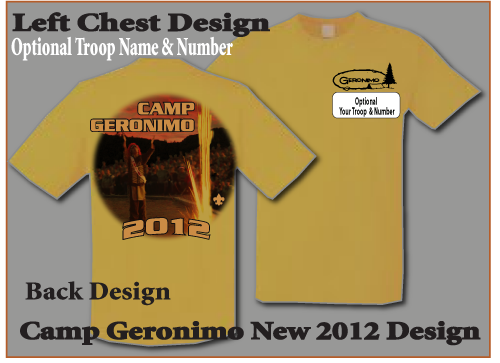
Create Now
-
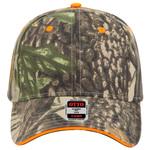
OTTO CAP Camouflage 6 Panel Low Profile Baseball Cap
- Embroidery as low as
- Screen Printing as low as
- DTF Printing as low as
- No decoration as low as
- Adult - OSFM
-
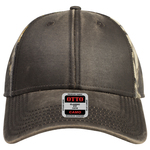
OTTO CAP Camouflage 6 Panel Low Profile Baseball Cap
- Embroidery as low as
- Screen Printing as low as
- DTF Printing as low as
- No decoration as low as
- Adult - OSFM
-
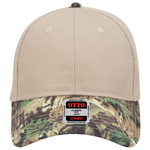
OTTO CAP Camouflage 6 Panel Low Profile Baseball Cap
- Embroidery as low as
- Screen Printing as low as
- DTF Printing as low as
- No decoration as low as
- Adult - OSFM
-
OTTO CAP Camouflage 6 Panel Low Profile Baseball Cap
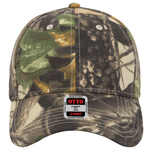
- Embroidery as low as
- Screen Printing as low as
- DTF Printing as low as
- No decoration as low as
- Adult - OSFM
-
OTTO CAP 12" Classic Knit Beanie w/ Cuff

- Embroidery as low as
- Screen Printing as low as
- DTF Printing as low as
- No decoration as low as
- Adult - OSFM
-
OTTO CAP 9" Classic Knit Beanie

- Embroidery as low as
- Screen Printing as low as
- DTF Printing as low as
- No decoration as low as
- Adult - OSFM


<p>
<span style="font-size: medium;"><span style="color: rgb(255, 255, 255);"><u>The Customized Troop Name And Number</u></span></span></p>
<ul>
<li>
<span style="font-size: small;"><span style="color: rgb(51, 204, 204);">First Select Customize</span></span></li>
<li>
<span style="font-size: small;"><span style="color: rgb(51, 204, 204);">Then Select Add Text</span></span></li>
<li>
<span style="font-size: small;"><span style="color: rgb(51, 204, 204);">Select (Entersansman Font) This Is The Font Used On The Shirt</span></span></li>
<li>
<span style="font-size: small;"><span style="color: rgb(51, 204, 204);">Black Is The Color Of The Text (Eventhough There Are Other Options)</span></span></li>
<li>
<span style="font-size: small;"><span style="color: rgb(51, 204, 204);">Finally Enlarge Text To Fit The Space Or Create It On Double Lines</span></span></li>
</ul>


